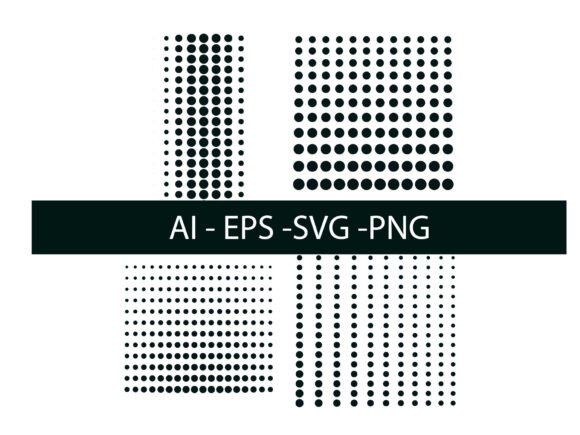
How to Use 04 Halftone Vector Dot for Creative and Practical Design Projects
Understanding the Basics of Halftone Effects in Design
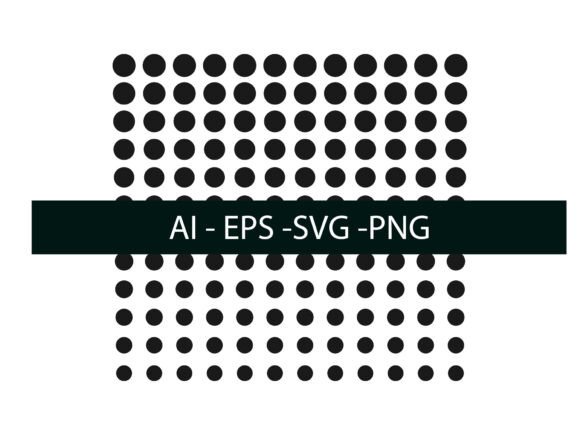
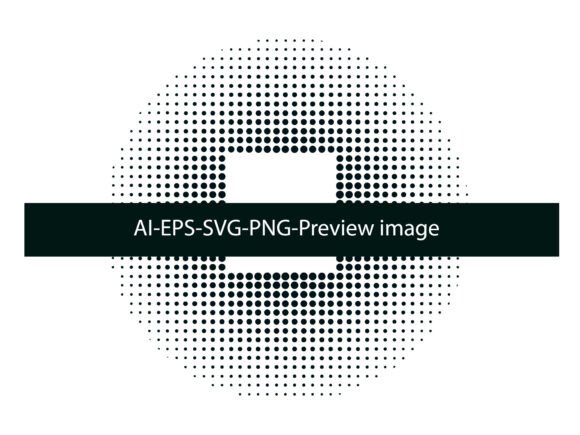
Halftone dots are a classic print technique used to simulate continuous tones using small, strategically placed dots. The 04 Halftone Vector Dot is a modern digital tool that brings this traditional method into vector-based design workflows. Whether you're working in Adobe Illustrator, Photoshop, or even in print design, understanding how to use halftone effects can open up new creative possibilities.
With the 04 Halftone Vector Dot, you get a ready-to-use resource that supports AI, EPS, SVG, and PNG formats, making it compatible with a wide range of design software. This flexibility allows both beginners and experienced designers to apply halftone textures without the need for complex setup or advanced knowledge.
When and Why to Use 04 Halftone Vector Dot
Halftone effects are more than just a nostalgic throwback to old-school printing. They’re practical tools that add depth, texture, and visual interest to designs. The 04 Halftone Vector Dot works especially well when you want to:
- Add dimension to flat vector illustrations
- Create vintage or retro-themed graphics
- Simulate printed textures in digital work
- Enhance branding materials with a tactile feel
- Design eye-catching posters, flyers, or packaging
Because halftone patterns break up solid colors into dynamic dots, they can help reduce ink usage in print while maintaining visual impact. This makes them a smart choice for small business owners or independent creators looking to balance cost and aesthetics.
Real-World Applications Across Different Fields
Let’s look at how different users can benefit from the 04 Halftone Vector Dot in their day-to-day projects:
Graphic Designers and Illustrators
For digital artists and illustrators, halftone effects can help differentiate layers or add depth without complicating the composition. A freelance illustrator working on a book cover might use halftone overlays to create a background texture that doesn’t overpower the main subject.
With the 04 Halftone Vector Dot, they can apply these effects directly in Illustrator using pattern swatches or brushes, saving time and ensuring scalability without loss of quality.
Marketers and Branding Professionals
In marketing, visual consistency and uniqueness are key. A small business owner launching a new product line could use halftone patterns to create custom packaging that stands out on the shelf. By applying the 04 Halftone Vector Dot as a background texture or accent, they can achieve a premium look without high production costs.
These effects also translate well into digital marketing materials like social media posts or email headers, where a textured background can help text and icons pop.
Educators and Presenters
For educators or trainers who design their own handouts or presentation slides, the 04 Halftone Vector Dot can make visual materials more engaging. A history teacher, for example, might use halftone textures to give a vintage feel to a timeline or infographic, making it more visually memorable for students.
Bloggers and Content Creators
Bloggers who create their own graphics can use halftone effects to add a professional touch to their visuals. Whether it’s a lifestyle blogger designing a Pinterest graphic or a tech writer creating an infographic, the 04 Halftone Vector Dot offers a simple way to elevate the design without needing advanced design skills.
How to Get the Most from 04 Halftone Vector Dot
While the 04 Halftone Vector Dot is user-friendly, getting the best results requires a few practical considerations:
- Choose the right format: Depending on your software, you may prefer AI, EPS, SVG, or PNG files. Vector formats (AI, EPS, SVG) are best for scalability, while PNG is ideal for quick placement in digital layouts.
- Adjust dot size and angle: In Adobe Illustrator, you can tweak the Color Halftone effect to control how dense or sparse the dots appear. A larger dot size can create a bolder effect, while smaller dots offer subtlety.
- Use pattern swatches for backgrounds: If you’re creating textured backgrounds or overlays, pattern swatches are a great way to apply halftone effects consistently across different design elements.
- Experiment with brushes: For more organic, hand-drawn looks, try using scatter brushes with halftone textures. This works well for creating custom illustrations or abstract elements.
- Consider print settings: If you're using halftone effects in printed materials, test how the dots render at different resolutions. Sometimes, adjusting the screen frequency can help avoid unwanted moiré patterns.
Before You Download or Buy
Before downloading or purchasing any halftone resource like the 04 Halftone Vector Dot, consider the following:
- Licensing: Make sure the file is licensed for both personal and commercial use if you plan to use it in client work or for sale.
- Compatibility: Check if the formats provided (AI, EPS, SVG, PNG) are compatible with your design software and workflow.
- Customizability: Some halftone packs offer editable vector files, allowing you to adjust dot size, spacing, and color. This flexibility can be a big plus for advanced users.
- Support and documentation: Look for resources that come with clear instructions or support, especially if you're new to using halftone effects.
Final Thoughts: Why 04 Halftone Vector Dot Stands Out
What makes the 04 Halftone Vector Dot particularly valuable is its versatility and ease of use. Whether you're a professional designer looking to add texture to a logo or a beginner trying to spice up a flyer, this tool delivers a high-quality halftone effect that’s both scalable and customizable.
By integrating halftone techniques into your design process, you not only enhance the visual appeal of your work but also connect with a long-standing tradition in print and graphic design. And with the 04 Halftone Vector Dot, you can do all that without the learning curve or setup time traditionally associated with halftone effects.
So the next time you're looking to add depth, texture, or a touch of vintage flair to your design, consider how the 04 Halftone Vector Dot can help you achieve that — efficiently, effectively, and creatively.