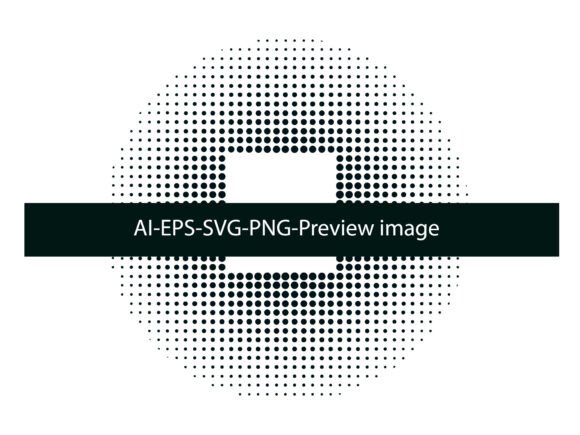
Halftone Dot Design 04: A Creative Tool for Modern Designers
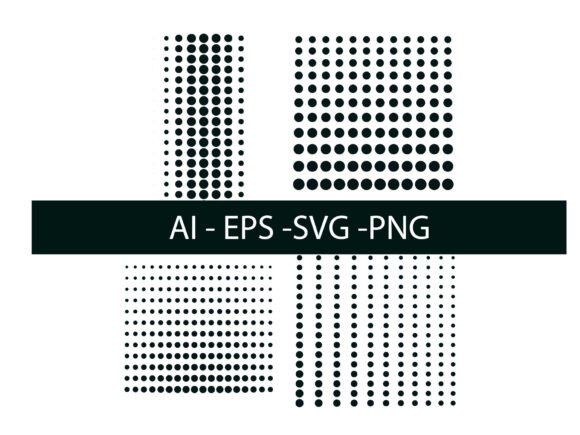
Halftone Dot Design 04 is a versatile graphic resource that brings texture, depth, and visual interest to a wide range of design projects. Originally created in Adobe Illustrator, this design pack offers users a professional-grade halftone effect that can be easily customized and applied across different media formats. Whether you're a seasoned designer or a creative just starting out, Halftone Dot Design 04 provides a practical solution for adding dimension to your visuals without overwhelming your composition.
Understanding Halftone Dots and Their Role in Design
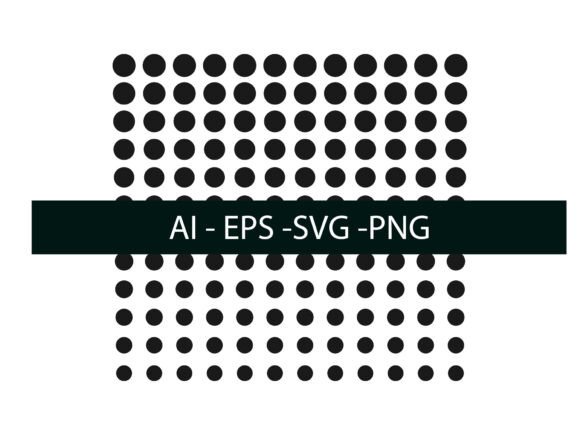
Halftone dots are a printing technique used to simulate continuous tones through the use of small, varying-sized dots. This method allows for the illusion of gradients and shading, especially in black-and-white or color-separated printing. In digital design, halftone effects are often used to recreate retro or vintage aesthetics, add texture, or create focal points in artwork.
With Halftone Dot Design 04, users gain access to pre-designed halftone patterns that are fully editable in Adobe Illustrator. These patterns can be applied directly to shapes, text, or images, allowing for seamless integration into both print and digital projects.
Key Features of Halftone Dot Design 04
- Editable in Adobe Illustrator – Easily modify colors, spacing, and dot size to fit your design needs.
- Multiformat Support – Includes AI, EPS, SVG, and PNG files, making it compatible with various design software and platforms.
- Customizable Patterns – Use pattern swatches to repeat halftone effects across large areas with precision.
- Brush-Based Application – Scatter brushes offer an organic approach to halftone placement, giving a handcrafted feel to your work.
How to Use Halftone Dot Design 04 Effectively
One of the main advantages of Halftone Dot Design 04 is its flexibility. Whether you're designing a poster, branding materials, or website assets, this halftone resource can enhance your visuals in meaningful ways. Here’s how to make the most of it:
- Layering for Depth – Apply halftone overlays on top of flat colors or gradients to add dimension and texture.
- Typography Enhancement – Use halftone fills to make headlines or logos stand out without sacrificing readability.
- Background Textures – Incorporate subtle halftone patterns into backgrounds to create interest without distracting from the main content.
- Print and Web Compatibility – Thanks to its vector format, Halftone Dot Design 04 scales beautifully for both print (posters, packaging) and digital (social media, websites) use.
Who Can Benefit from Using Halftone Dot Design 04?
This design pack is ideal for a wide audience, including:
- Graphic Designers – Looking for quick, professional halftone effects in their illustrations or layouts.
- Print Artists – Who need to replicate traditional halftone printing techniques digitally.
- Web Designers – Interested in adding texture to UI elements or backgrounds without increasing file size.
- Small Business Owners – Seeking to elevate marketing materials without hiring a professional designer.
- DIY Creators – Wanting to explore vintage or retro design styles in personal projects.
Real-World Applications of Halftone Dot Design 04
The practicality of Halftone Dot Design 04 shines in real-world design scenarios. Here are a few examples where this resource can make a noticeable difference:
- Poster Design – Use halftone overlays to separate foreground and background elements for a clean, professional look.
- Product Packaging – Add subtle texture to packaging labels or inserts to stand out on shelves.
- Editorial Layouts – Enhance magazine spreads with halftone backgrounds that complement photos and illustrations.
- Brand Identity – Incorporate halftone motifs into logos or stationery for a unique, modern twist.
- Web Graphics – Apply halftone effects to buttons, banners, or icons for a stylized yet lightweight visual element.
Strengths and Considerations of Halftone Dot Design 04
Like any design tool, Halftone Dot Design 04 has its strengths and limitations. Understanding these can help you determine if it’s the right choice for your project:
- Pros:
- Highly customizable for different design needs
- Available in multiple formats for broad compatibility
- Easy to apply and edit within Adobe Illustrator
- Helps achieve professional halftone effects without complex setups
- Cons:
- May require some familiarity with Illustrator tools
- Overuse can lead to cluttered or busy designs
- Not suitable for minimalist designs that require clean, flat visuals
Getting Started with Halftone Dot Design 04
Once you've downloaded the package, you'll find a collection of AI, EPS, SVG, and PNG files ready for immediate use. To begin, open the AI file in Adobe Illustrator and explore the pattern swatches and brush options included. You can apply these directly to shapes or text, or import them into your existing projects for quick integration.
For those unfamiliar with creating halftone effects manually, Halftone Dot Design 04 removes the complexity by offering ready-made, scalable solutions. Simply drag, drop, and adjust the settings to match your design vision.
Final Thoughts: Is Halftone Dot Design 04 Right for You?
If you're looking for a way to add texture, depth, and visual intrigue to your designs without reinventing the wheel, Halftone Dot Design 04 is a valuable asset. It’s especially useful for creators who want to blend traditional printing aesthetics with modern digital design techniques. Whether you're working on branding, print media, or web graphics, this resource offers a practical, time-saving solution that delivers professional results.
Remember, the key to success with Halftone Dot Design 04 lies in how you apply it. Experiment with different layers, colors, and placements to find the perfect balance for your project. With a little creativity and the right tools, you’ll be able to elevate your designs and make them stand out in a crowded visual landscape.
Thank you for having us. We hope Halftone Dot Design 04 becomes a trusted part of your creative toolkit.