Enhance Your Educational and Creative Projects with the Colorful Notebook Icons Clipart Set
Whether you're a teacher designing engaging lesson materials, a student organizing study notes, or a digital creator crafting vibrant content, having access to visually appealing and versatile design elements can make all the difference. The Colorful Notebook Icons Clipart Set offers a bright, fun, and creative solution tailored for a wide range of educational and artistic applications.
What is the Colorful Notebook Icons Clipart Set?
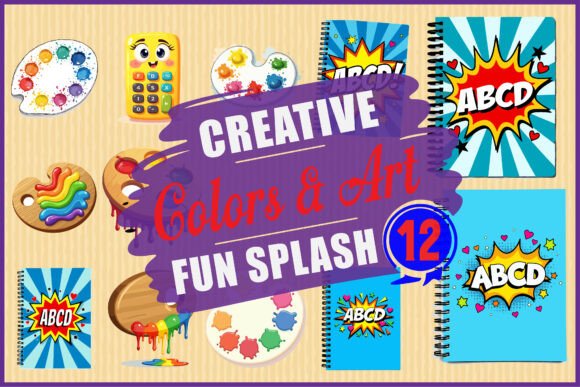
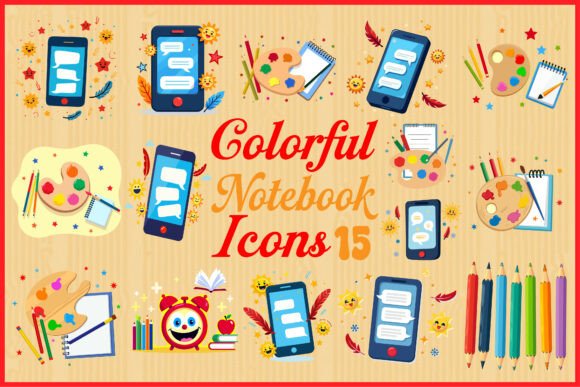
The Colorful Notebook Icons Clipart Set is a collection of 15 study-themed illustrations designed to add visual appeal and clarity to your educational and creative projects. Each icon is crafted with a playful yet professional aesthetic, featuring elements such as open notebooks, colored pencils, mobile screens, paint palettes, brushes, and other decorative accents.
This versatile set includes:
- 15 PNG files with transparent backgrounds
- 15 high-resolution JPG files
- 15 scalable SVG files
- 15 editable EPS files
With multiple file formats included, the set is ideal for both print and digital use, making it a go-to resource for educators, students, graphic designers, and content creators alike.
Common Challenges and Needs in Educational and Creative Work
Creating engaging and visually cohesive materials can be time-consuming, especially when you're balancing multiple projects or responsibilities. Teachers often struggle to find age-appropriate visuals that enhance learning without overwhelming students. Students may find it difficult to organize their notes or digital resources in a way that's both functional and enjoyable. Digital creators and designers also face the challenge of sourcing high-quality, customizable graphics that align with their brand or message.
In each of these scenarios, the right visual elements can:
- Improve comprehension and retention
- Enhance organization and clarity
- Make learning or creative work more enjoyable
- Save time and reduce design complexity
How the Colorful Notebook Icons Clipart Set Can Help
The Colorful Notebook Icons Clipart Set is specifically designed to address these challenges by offering a ready-to-use visual toolkit that supports a wide variety of applications. Here’s how it can make a difference:
1. Simplify Educational Material Creation
For teachers and educators, creating worksheets, presentations, and lesson plans that capture students' attention is essential. Incorporating icons like notebooks, pencils, and tablets into your materials can help break up text-heavy content and make concepts more digestible.
For example, using a notebook icon next to a writing prompt or a pencil icon for an activity section helps students quickly identify what’s expected of them. These visual cues are especially helpful for younger learners or those with learning differences who benefit from structured, visual guidance.
2. Organize Study Resources and Planners
Students and lifelong learners can use the icons to create digital or printed planners, flashcards, and study guides that are both functional and fun. The Colorful Notebook Icons Clipart Set allows for easy categorization of subjects or tasks — a paint palette icon for art class, a phone screen for digital assignments, or a notebook for journaling.
Using consistent visual markers makes it easier to navigate through materials, track progress, and stay motivated. Transparent PNG files are especially useful for layering over backgrounds or integrating into digital notebooks like Notion or Google Slides.
3. Enhance Digital and Print Design Projects
Graphic designers and digital creators can take advantage of the SVG and EPS formats to scale icons for use in logos, social media graphics, infographics, or branding materials. Whether you're designing a course landing page, an e-book layout, or a printable worksheet, these icons add a professional yet approachable touch.
For instance, a mobile screen icon can be used in a digital course promotion to represent online learning modules, while a brush and palette icon might be perfect for a creative workshop or art class branding.
Practical Applications Across Different User Types
One of the strengths of the Colorful Notebook Icons Clipart Set is its adaptability. Let’s explore how different users can leverage this resource effectively:
Teachers and Educators
- Create visually engaging worksheets and lesson plans
- Design classroom posters or digital slides that reinforce learning themes
- Develop interactive learning games or activity sheets
Students and Learners
- Customize digital and physical planners with subject-specific icons
- Design flashcards or study aids that are easier to remember
- Organize project files or digital notes with visual tags
Graphic Designers and Content Creators
- Incorporate icons into branding, social media templates, or marketing materials
- Use SVG files to scale icons for different platforms without losing quality
- Enhance website or app interfaces with recognizable, colorful visuals
Crafters and DIY Enthusiasts
- Print icons on stickers or labels for organizing school supplies
- Use them in handmade cards, journals, or scrapbooks
- Design custom planners or bullet journals with a cohesive visual theme
Choosing the Right Format for Your Needs
One of the standout features of the Colorful Notebook Icons Clipart Set is the variety of file types included. Knowing which format to use can help you get the most out of your purchase:
- PNG – Best for digital use with transparent backgrounds, ideal for overlaying on documents or digital planners.
- JPG – High-resolution images suitable for print or general use when transparency isn’t needed.
- SVG – Perfect for scaling without losing quality, especially for logos, web graphics, or large-format prints.
- EPS – Editable vector format for advanced design work in programs like Adobe Illustrator.
For most users, starting with PNG or JPG files will be sufficient. However, if you're planning to resize icons significantly or incorporate them into vector-based designs, SVG and EPS files will offer the most flexibility.
Maximizing the Value of Your Clipart Set
To get the most out of the Colorful Notebook Icons Clipart Set, consider these tips:
- Build a visual system: Use consistent icons across your materials to create a unified look and improve navigation.
- Experiment with layouts: Try combining different icons to create custom illustrations or infographics.
- Customize colors: If you're using editable formats like SVG or EPS, you can tweak colors to match your brand or personal style.
- Use across platforms: From Canva to PowerPoint to Procreate, these icons are compatible with most digital tools.
Conclusion: A Versatile Visual Toolkit for Learning and Creativity
The Colorful Notebook Icons Clipart Set is more than just a collection of pretty graphics — it's a practical, time-saving tool that enhances the way we learn, teach, and create. Whether you're designing a classroom activity, organizing your study notes, or crafting digital content, this set offers the flexibility and visual appeal you need to bring your ideas to life.
By integrating these icons into your projects, you not only make your work more engaging but also more accessible and intuitive. With multiple formats and a wide range of applications, this clipart bundle is a valuable addition to any educator's, student's, or designer's toolkit.